DIY Smart Lighting is a great way to modernize and automate your home. Across the USA, homeowners are adopting these systems to control their lighting with their voice, an app, or a schedule. However, this DIY project isn’t always as easy as it sounds.
Often, people make small mistakes during installation, which can lead to frustration and improper operation of the system. Before you pick up your tools, let’s take a look at the 5 most common mistakes people make with DIY smart lighting, and how you can fix them.
H2: 1. Not checking compatibility
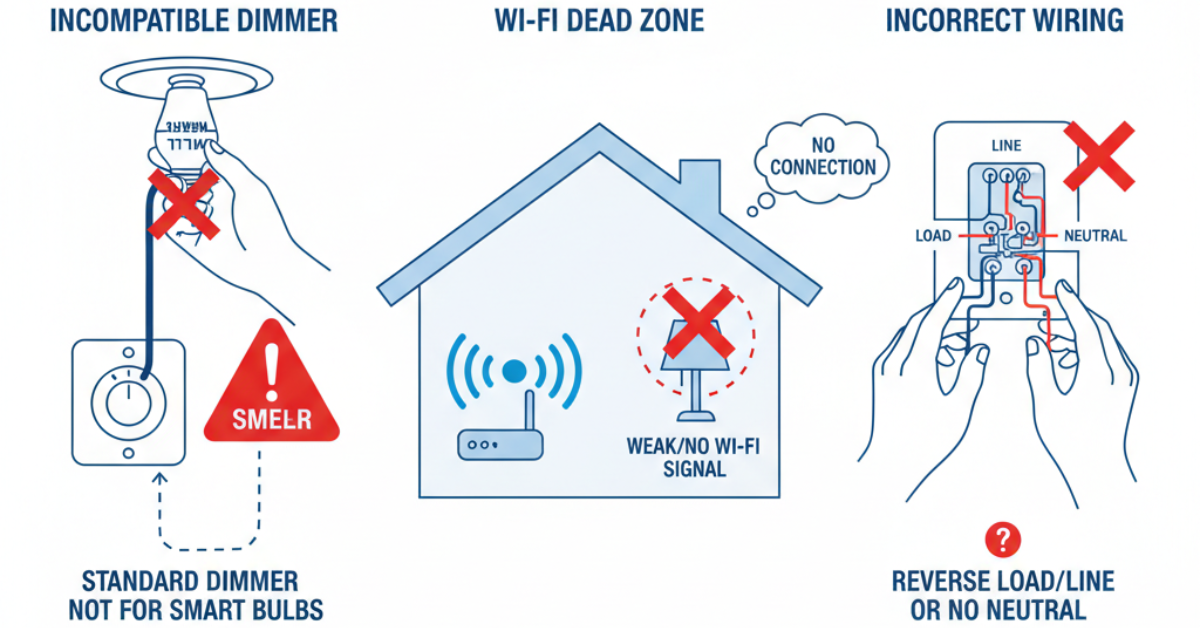
This is the most common problem. You buy an expensive smart switch, only to realize it doesn’t work with your existing aluminum wiring, or you buy smart bulbs that aren’t compatible with your dimmer fixtures.
- Solution:Before buying, always check. Is the bulb the right size and type for your fixture? Is your smart switch designed for homes with a “no-neutral” wire? Do the bulbs you choose require a hub like Philips Hue or Samsung SmartThings to work properly?
H2: 2. Ignoring a weak Wi-Fi signal
Most of your DIY smart lighting devices rely on your home network. If your Wi-Fi router is in one corner of the house and you try to install smart lights in another corner, you’ll get a weak or unstable signal. This will cause the lights to go “offline” or not respond to commands.
- Solution:Before installing the lights, check the Wi-Fi strength in your location on your phone. If it’s weak, you may need to consider investing in a Wi-Fi extender or mesh network system.
H2: 3. Forgetting electrical safety
This is a DIY project that involves electricity. One of the biggest mistakes is not turning off the circuit breaker when replacing a smart switch. This could result in a serious electric shock or short-circuit your new device.
- Solution:Always, always turn off the power to the room you’re working in at your breaker box. If you’re not 100% sure about the wiring (such as a 3-way switch), don’t take risks. It’s best to hire a professional electrician.
H2: 4. Choosing the wrong ecosystem
Do you want your lights to work with Amazon Alexa, Google Assistant, or Apple HomeKit? Some brands work with all of them, while others are limited to just one or two. If you buy devices from different brands that don’t talk to each other, you won’t be able to control them simultaneously.
- Solution:Decide which main ecosystem you will use (e.g., Google Home) and then buy devices that come with the “Works with Google Home” label.
H2: 5. Complicated apps and setup
Sometimes the hardware is easy to install, but the software is a nightmare. Grouping lights, setting up routines, or forcing an app to “find” your device can be complicated.
- Solution:Be patient with the installation. Follow the instructions carefully. If a device won’t connect, try resetting it, restarting your phone, or unplugging the router for 30 seconds.
By avoiding these common mistakes, you can turn your DIY smart lighting project into a successful and rewarding experience.